On this page
DIRECT ANSWER
What the player needs to know
What the official material establishes
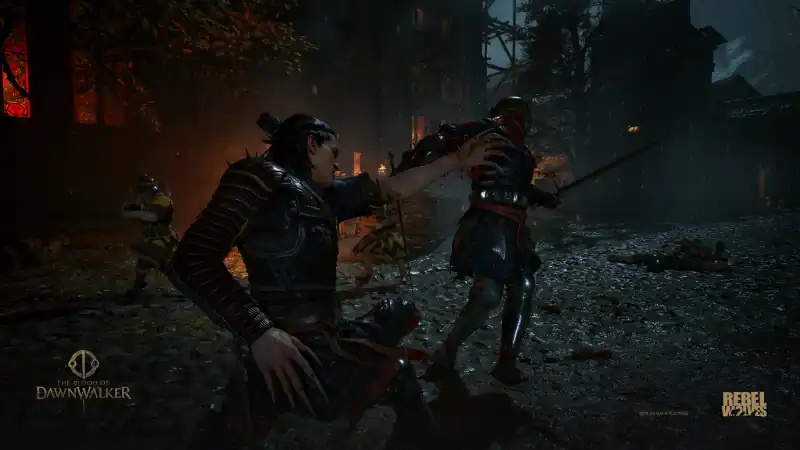
Directional combat asks the player to read attack angles and respond with a matching block or attack. The announced slow-motion option is therefore especially relevant: it appears aimed at giving more time to read and select a direction, not simply raising damage numbers.
Until the settings screen can be inspected, this guide will not name a “Story,” “Normal” or “Hard” mode by analogy. Preset labels are easy to verify and should never be invented.
- Adjustable overall difficulty
- Optional slow-motion combat support
- No complete preset or modifier table yet
How to choose a starting setting
Start with the default if directional action games are familiar. If reading attack angles is the obstacle, test the slow-motion aid before lowering every difficulty parameter. If resource pressure or damage is the issue, compare those settings separately once the menu exposes them.
The goal is to identify the friction, not defend a label. Difficulty choices are part of access and preference; any trophy restriction must be observed rather than assumed.
Launch documentation standard
The final table will record the exact label, affected systems, whether it can be changed after starting, and any achievement consequences. Performance options belong on their platform pages instead of being mixed into combat difficulty.
The launch menu will be documented from a clean start and again during an active save. Each preset and individual toggle will be recorded with its default, range and whether it can change mid-run. Combat slow motion will be tested independently from damage and resource settings. Achievement restrictions, if any, require an observed warning or controlled unlock test. Accessibility options that affect text, input, camera or sensory presentation will be named in their own terms instead of being reduced to easy mode.
- Exact preset names
- Individual toggles and ranges
- Mid-game change behavior
- Achievement or reward restrictions
Frequently asked questions
Is there an easy mode?
Adjustable difficulty is confirmed, but the launch preset names have not been recorded here yet.
Can I slow combat without changing enemy health?
An optional slow-motion aid is confirmed. Its exact interaction with other difficulty settings needs launch verification.
REFERENCE RECORD
Sources used for this page
Learn the confirmed structure of directional swordplay, Witchcraft and vampiric combat before launch values make precise build advice possible.