
On this page
DIRECT ANSWER
What the player needs to know
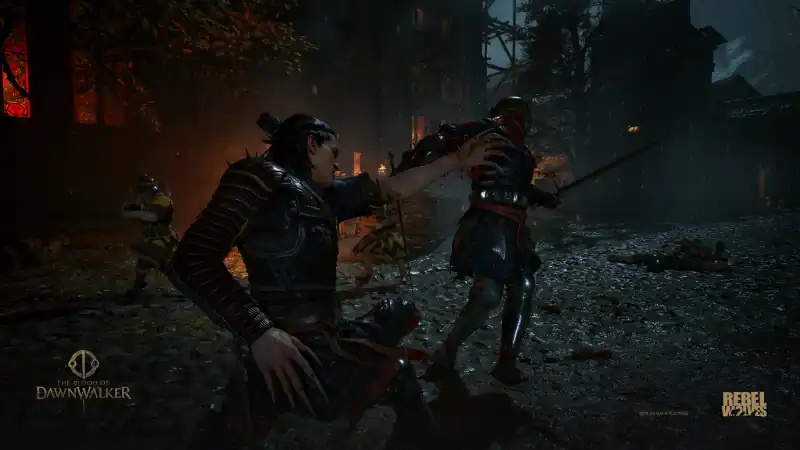
Use Swap Weapon during a night fight
Coen can still use his equipped sword after dark. The game gives night combat access to vampire claws, but it does not permanently replace the blade. Press the action labeled Swap Weapon while fighting at night to toggle between the two. Independent launch guides agree on F for the default PC keyboard layout, X for the default Xbox layout and Square for the default PlayStation layout.
This is a combat-context input. On the default PC layout, F is also Interact in general play, so the result depends on what Coen is doing. If an interact prompt is active or combat has not engaged, step away from the object, enter combat and try the current Swap Weapon binding again.
| Platform | Swap Weapon |
|---|---|
| PC keyboard and mouse | F |
| Xbox controller | X |
| PlayStation controller | Square |
Do not confuse swap with draw or sheathe
Dawnwalker has two different weapon actions. Draw/Sheathe Weapon changes whether Coen has a combat stance active; Swap Weapon changes which available weapon set he is using. On the default PC keyboard layout, VULKK records Y for Draw/Sheathe and F for Swap Weapon. Pressing only Y can therefore put the current weapon away without changing claws to the sword.
If Coen is left bare-handed or immediately returns to the wrong set, draw the weapon first and then use Swap Weapon. The exact prompts can differ after a rebind or when the alternative controller scheme is active, which is why the action names matter more than memorizing one button from another player’s setup.
| Action | What it changes |
|---|---|
| Draw/Sheathe Weapon | Combat stance on or off |
| Swap Weapon | Sword or claws during night combat |
Fix the input when the default button does nothing
Pause the game, open Settings and move to Controls for keyboard and mouse or Controller for a gamepad. PC actions can be rebound, while controller users can choose between the Default and Alternative schemes. Find the current Swap Weapon line and use the button shown there rather than assuming the factory default is still active.
Then test the command in a simple night encounter with an equipped sword. Confirm that Coen is in combat, use Draw/Sheathe if no weapon stance is active and press Swap Weapon once. If the prompt still fails after confirming the binding, restore only the relevant control setting before changing broader combat or accessibility options.
The default bindings are corroborated by two independent launch guides and current player reports. The page separates Draw/Sheathe Weapon from Swap Weapon because confusing those actions is the reason players become stuck with claws or bare hands. PC keys can be rebound and controllers offer an alternative layout, so the action label in the current Controls menu remains authoritative when a displayed prompt differs from the defaults listed here.
- Equip a sword before starting the test.
- Enter combat at night so claws are available.
- Confirm the action labeled Swap Weapon in Settings.
- Treat Draw/Sheathe Weapon as a separate input.
Frequently asked questions
How do I bring my sword out at night in Dawnwalker?
Use Swap Weapon during night combat: F on default PC controls, X on default Xbox controls or Square on default PlayStation controls. If the weapon is sheathed, draw it first with the separate Draw/Sheathe action.
Why does the sword button leave Coen unarmed?
You are probably using Draw/Sheathe Weapon instead of Swap Weapon. On the default PC layout they are Y and F respectively. Check the action labels in Settings after any rebind.
Can I use a sword at night?
Yes. Coen can switch between his equipped sword and vampire claws at night, so a Swordmastery-focused build is not forced to use claws after dark.
REFERENCE RECORD
Sources used for this page
Learn Dawnwalker combat with the orange Perfect Block cue, Perfect Riposte, weapon arts, Voracious Bite healing and the three skill paths.